

HunTracker · HelpPro
Licences, documents and expiry reminders
Your hunting licence, firearms licence and medical certificate are already on the list: add their dates, choose when to be reminded, and add anything else that expires.
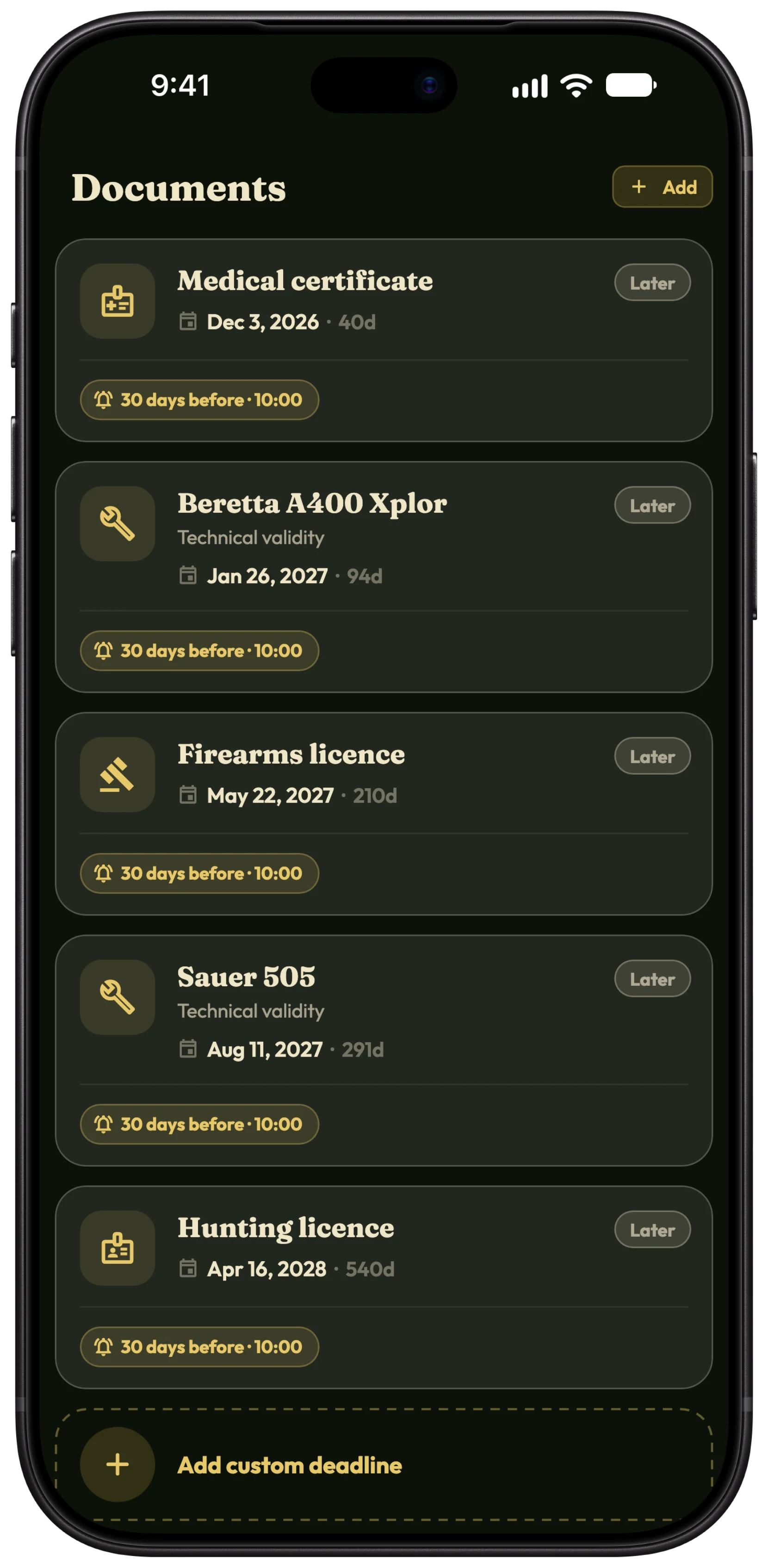
Add a licence's date
- Open Hunter › Documents.
- Tap Hunting licence, Firearms licence or Medical certificate.
- Tap Valid until and pick the expiry date.
Choose your reminders
- In the document, under Reminders, tap Add reminder.
- Tap the reminder and use Remind me to choose how far ahead: from the day itself to 90 days before.
- Tap its time to choose the hour. Each document can have up to three reminders.
Tip Reminders come from our server, so they arrive even if you have not opened the app for months. Keep notifications on for HunTracker.
Add any other document
- Tap Add custom deadline.
- Give it a Title, such as insurance or a permit, and a Valid until date.
- Add reminders the same way.
Weapon inspections
A weapon whose technical validity you entered under Equipment appears here too, with reminders of its own.
Free and Pro
Documents and their reminders are part of Pro. Compare Free and Pro →
More about licence and document reminders →
Questions and answers
Is the app an official copy of my licence?
No. It keeps the dates and reminds you. Carry your licences as the law requires.
When does the reminder arrive?
On the day and at the time you chose, in your own time zone. A new reminder starts at 30 days before, at 10:00.
I renewed my licence. What now?
Open it, tap Valid until and pick the new date. The reminders follow the new date.
Still stuck?
Write to us and say which phone and app version you use. A real hunter on the team answers, usually within a day.