

HunTracker · Hunting equipment
Every rifle, scope and cartridge in one place
Keep your firearms, optics and ammunition together, group them into the sets you actually carry, and attach the right set to a hunt in one tap, so the record says what you really used.
Free to download · Free version with no time limit · No ads
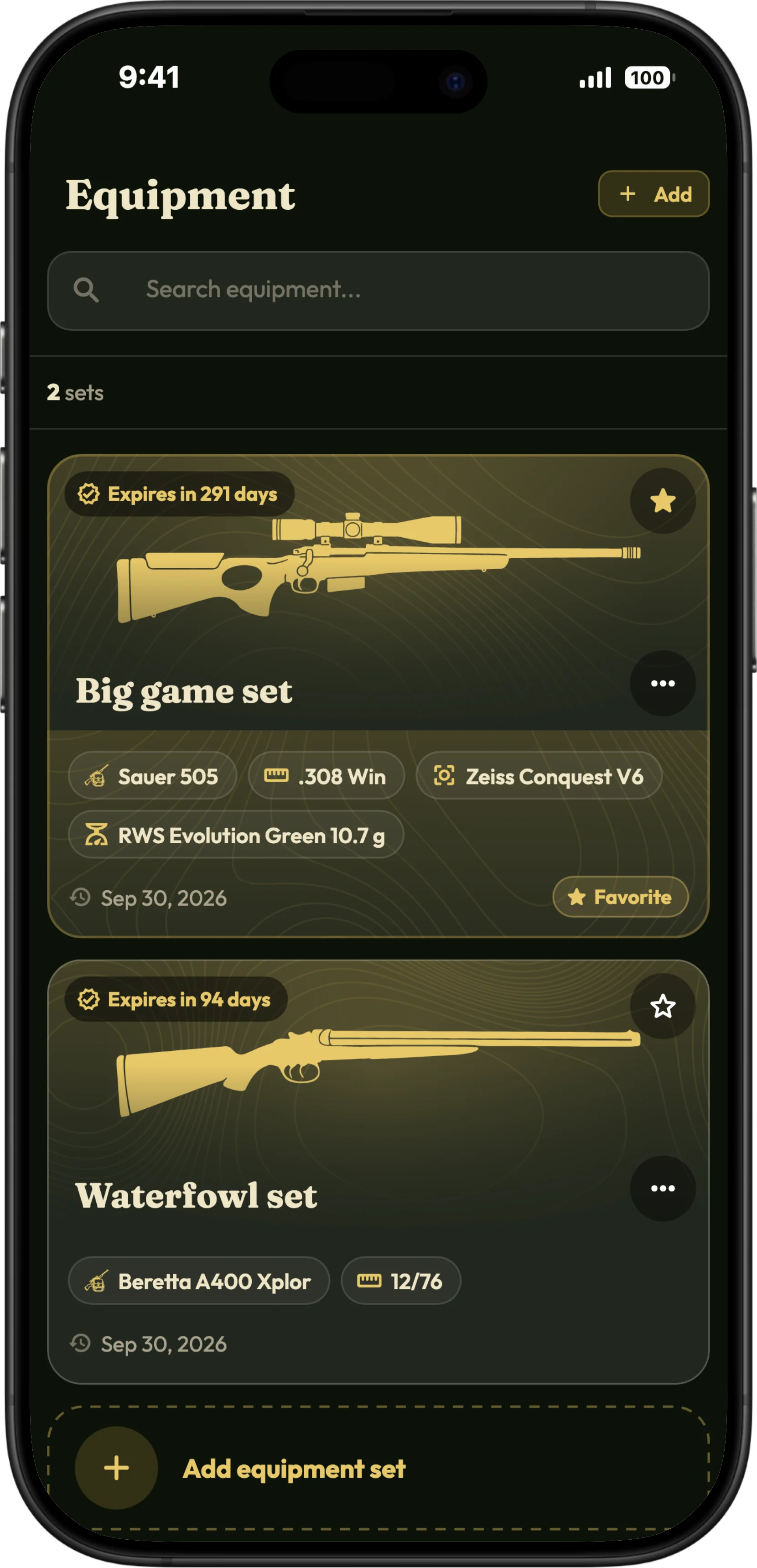
What the equipment log keeps
Rifles, shotguns and bows
Each weapon with its type, make, model, calibre, serial number, photo and notes.
Optics
Riflescopes, red dots, thermal and night-vision scopes, with make, model and serial number.
Ammunition
Brand, load and projectile weight, in grams or grains.
Equipment sets
Group a weapon with its optic and ammunition into the sets you carry, and mark a favourite for faster logging.
On every hunt
Attach the set you used to the hunt, and later see which set your harvests were made with.
Inspection reminders
Give a weapon its technical validity date and HunTracker reminds you before it runs out.
How it works
- Add your weapons, optics and ammunition.
- Group them into the sets you carry.
- Pick the set when you start a hunt, or mark a favourite.
- See in your statistics what each set achieved.
Free and Pro
Up to two equipment sets are free; Pro gives you as many as you need. Compare Free and Pro →
Questions and answers
Can I keep serial numbers in the app?
Yes. Each weapon and optic can keep its serial number and notes, in your own account.
Does HunTracker replace the official firearms register?
No. It is your own list. Licences and any register your authority requires still have to be kept as the law says.
How many equipment sets can I make?
Two in the free version, and as many as you need with Pro.
Start this season's journal.
Free to download for iPhone and Android, with a free version that has no time limit.