

HunTracker · Help
Setting up a hunting association
Every hunt can be filed under its association and district. Add yours once, share it with the hunters who hunt there, and everyone works from the same names, districts and map.
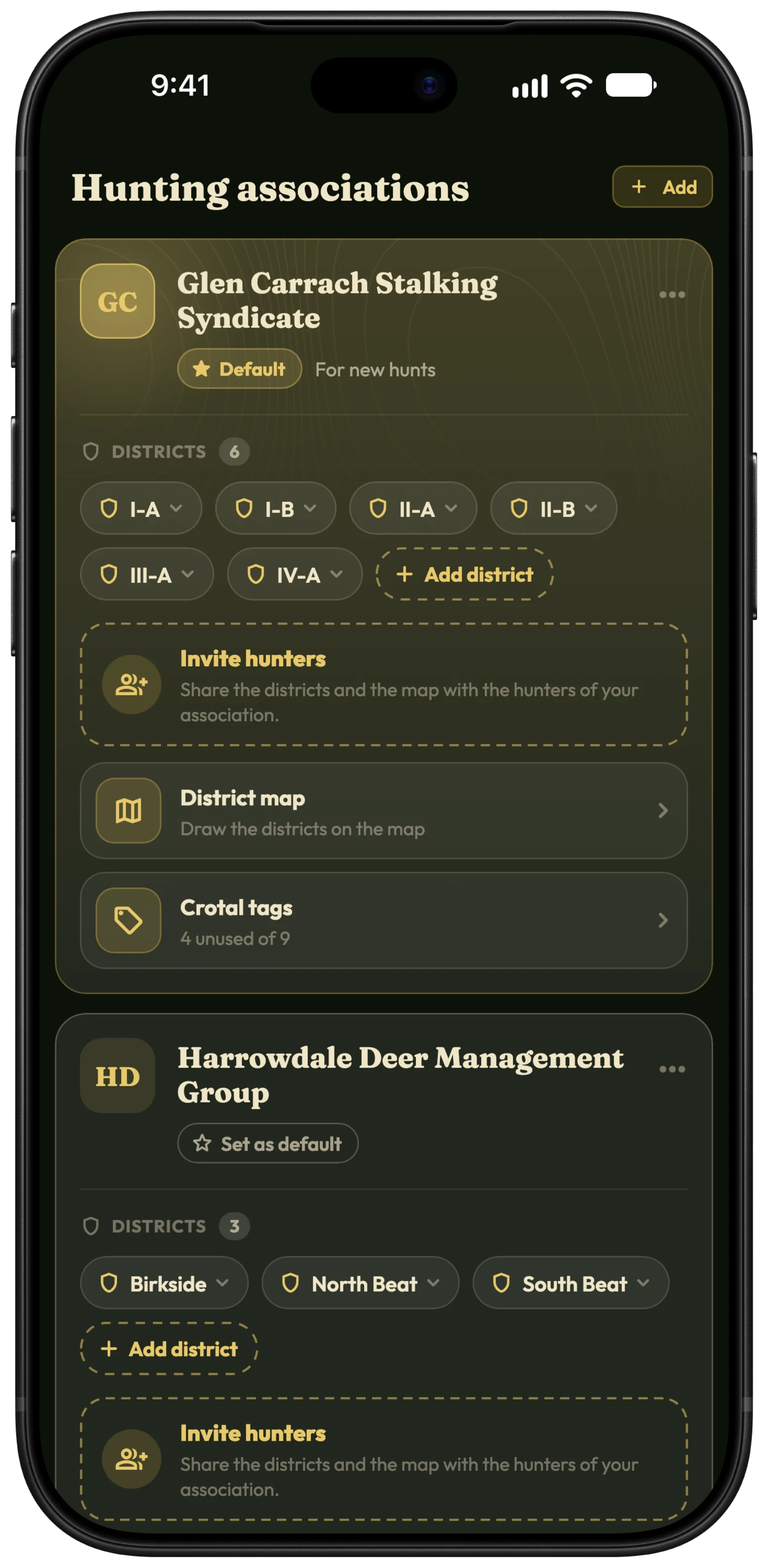
Add your association
- Open Hunter › Hunting associations.
- Tap Add, type the association's name and tap Add again.
- On its card, tap Add district for each district you hunt in.
- Open the card's menu and choose Set as default, so new hunts start under it.
Tip Hunt somewhere else for a day? Change the association and district on that hunt; the default stays as it is.
Invite the association's hunters
- On the association's card, open the menu and choose Invite hunters.
- Pick friends from your list. For each, choose Member or Editor.
- They get an invitation on their associations page and tap Join.
Use a join link or QR code
For hunters who are not your friends in the app yet, a join link is quicker: hand out the QR code at the start of the season or send the link to the club's group.
- Open the association's Members page.
- Under Join link, tap Make a join link.
- Show the QR code, or tap Share join link.
- Hunters who use it appear under Asking to join. Tap Approve or Decline.
Tip Anyone with the link joins without approval skips the approval step. Leave it off if the link is posted publicly: members see the map's stands and feeders.
Roles: leader, editor and member
The leader, who shared the association, can do everything: name it, draw its map, invite and remove hunters, run the join link and choose editors.
Editors can change the districts, the map and its markers, and invite or remove members. Members use the districts and the map but cannot change them.
To change a hunter's role, open their row on the Members page. To pass the association on, use Hand over leadership.
Leave or stop sharing
- Members leave with Leave association. You choose what happens to your unused crotal tags: owed back, returned, lost, or moved to another association.
- A leader with members hands over leadership first; a leader on their own uses Stop sharing.
- To remove someone, open their row and choose Remove from association.
Free and Pro
One association is free, and joining one someone shares with you is free. Pro lets you keep every association you hunt with, invite hunters, run a join link, be an editor and see the association's map. Compare Free and Pro →
More about associations and districts →
Questions and answers
Is HunTracker a club management system?
No. It is each hunter's own journal. It files your hunts under your associations and districts, but does not keep a club's official records.
What happens if the leader's Pro ends?
The association is paused: nobody new can join and editors cannot change it, but every member keeps their copy. It wakes up when the leader resubscribes.
Can I belong to several associations?
Yes. The free version keeps one; with Pro, keep as many as you need.
Still stuck?
Write to us and say which phone and app version you use. A real hunter on the team answers, usually within a day.