

HunTracker · Help
Managing your weapons and equipment
In HunTracker, an equipment set is what you carry: a weapon, its optic and its ammunition. Add your sets once and each hunt records which one you used.
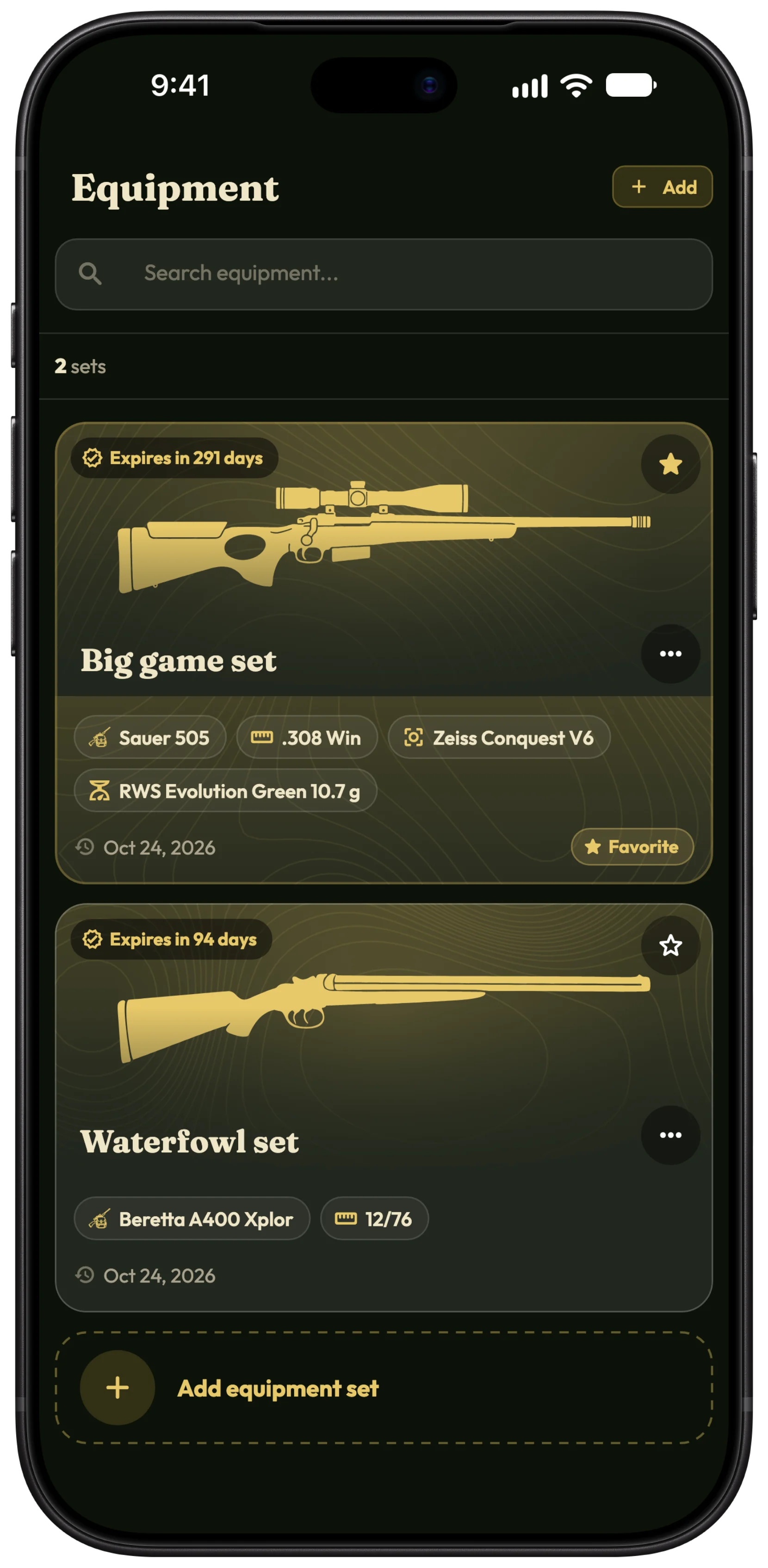
Add an equipment set
- Open Hunter › Equipment and tap Add.
- Give the set a Name and add a photo or an icon at the top.
- Under Weapon type, choose Rifle, Shotgun, Bow or Other.
- Fill in the Weapon: brand, model, serial number and calibre.
- Add the Ammunition, with its brand, model and projectile weight in grams or grains, and the Optic: brand, model, serial number and type.
- Tap Save.
Tip Mark the set you use most with Set as favorite in its menu: new hunts start with it. Duplicate is the quick way to make a second set with the same rifle and other ammunition.
Choose the set for a hunt
- On the hunt, tap Equipment set.
- Pick one of your sets, Borrowed, or Not specified.
What a finished hunt remembers
When a hunt ends, it keeps a copy of the set as it was that day, so later changing the scope or deleting the set does not rewrite your history.
- Open the finished hunt and tap its Equipment set row.
- Equipment on this hunt shows what you carried.
- Edit changes it for this hunt only; Change equipment picks another set.
Inspection reminders
- In the set, tap Weapon technical validity and pick the date.
- Choose when to be reminded in Hunter › Documents, where the weapon appears next to your licences.
Share a set
Open the set's menu and choose Share to make a card of it for a chat or a post.
Free and Pro
Two equipment sets are free; Pro gives you as many as you need, plus the technical validity date with its reminders. Compare Free and Pro →
More about the equipment log →
Questions and answers
Can I keep serial numbers in the app?
Yes. Weapons and optics each keep their serial number and notes, in your own account.
Does HunTracker replace the official firearms register?
No. It is your own list; licences and registers are kept as the law requires.
What happens to my sets if Pro ends?
Nothing is deleted. Your two newest sets stay usable; the others are locked until you subscribe again.
Still stuck?
Write to us and say which phone and app version you use. A real hunter on the team answers, usually within a day.