

HunTracker · Digital hunting log
The digital hunting log that keeps the whole story
Record every hunt as it happens, individual or driven: each harvest and observation, the place, the conditions, your photos and the story in your own words. HunTracker keeps it together on your phone, season after season.
Free to download · Free version with no time limit · No ads
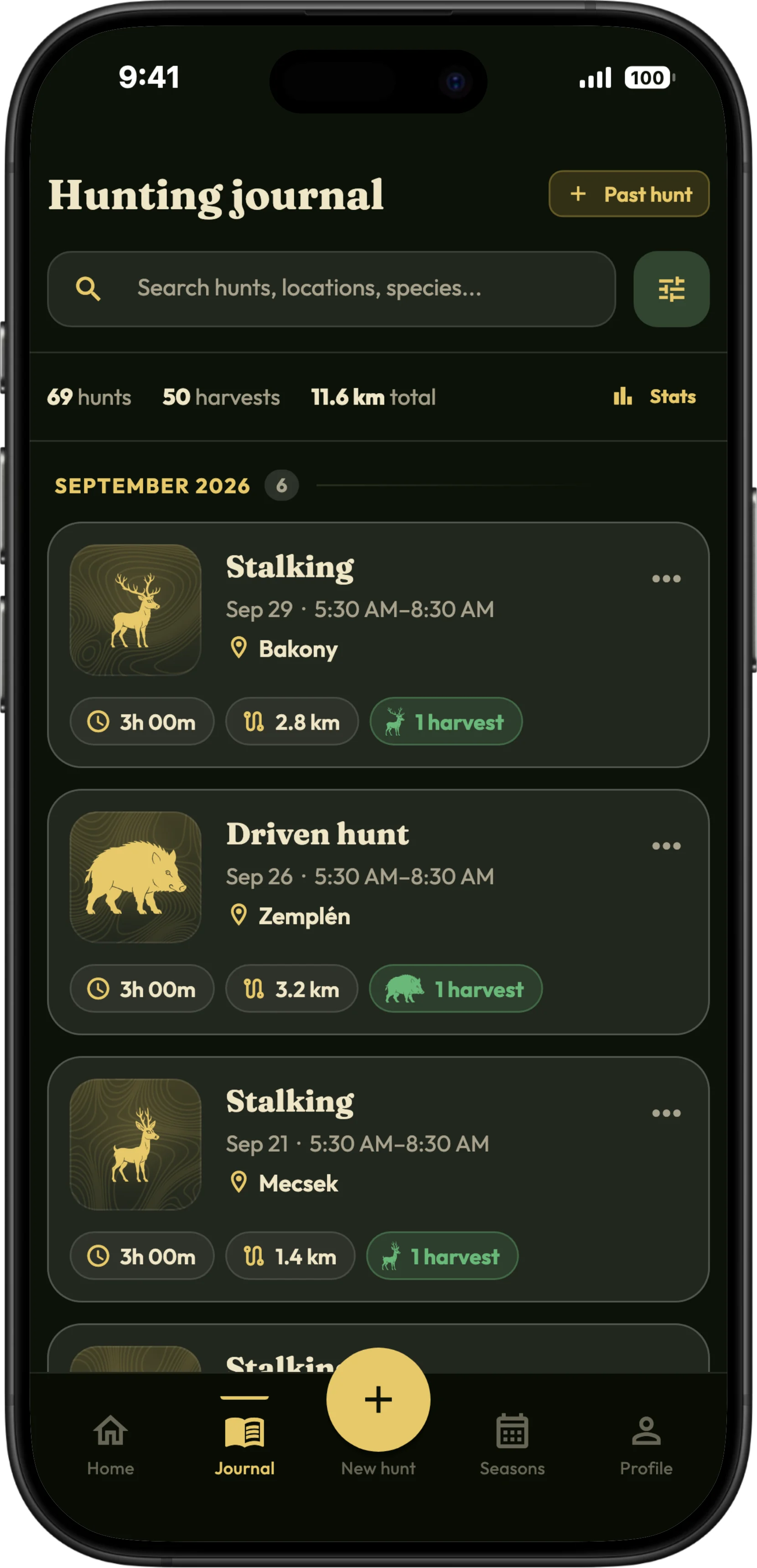
What your hunting log keeps
Individual and driven hunts
Start a hunt when you set off, or schedule one in advance with a reminder and the forecast for the day. Each hunt keeps its date, place, district, association and the equipment you carried.
Harvests in detail
Species, sex and age class, time, weight, shot distance, shot placement and the result of any tracking. The species list is your country's game.
Trophies and tags
Note the trophy, its measurement and CIC score, and the tag number fitted to the carcass, so your record matches the paperwork.
Observations
Not every sighting ends in a shot. Log what you saw, when and where, and next season you know where the game moves.
Photos and the story
Attach photos to the entry, and video with Pro, then write the story while it is fresh. Years later the log reads like a diary, not a spreadsheet.
Works without signal
Logging a hunt and its harvests keeps working where there is no coverage, deep in the forest or up on the hill.
A digital hunting log, not a spreadsheet
A digital hunting log does what a paper one cannot: it records the time of each harvest for you, offers your country's species and classes to pick from, keeps the photos and the GPS path with the entry, adds every harvest up in the statistics and never runs out of pages.
It is also a hunting diary you can search: the morning you saw the big boar, or every harvest made with one rifle, turns up in seconds. With Pro, your log is backed up to your account, opens in the browser at web.huntracker.app and exports to Excel whenever you want it on paper.
How it works
- Start a hunt when you set off, or schedule it for later.
- Log harvests and observations as they happen, in a few taps.
- Finish the hunt, add the photos and write the story.
- Look back whenever you like: search and filter the log, or open the statistics.
Free and Pro
Recording hunts, harvests, observations and events is free, with no time limit and no ads, and the free version keeps one photo per hunt. Pro adds up to 12 photos or videos per hunt, cloud backup and sync across your devices, and export to CSV and Excel. Compare Free and Pro →
Questions and answers
What should a hunting log record?
What you will want to know later: the date, place and conditions, the species with its sex and class, the shot distance and placement, what happened afterwards, and what you saw but did not shoot. HunTracker asks for these as you go and keeps the photos and the GPS path with the entry.
Does the hunting log work without mobile signal?
Yes. Logging a hunt and its harvests works with no coverage. With Pro, everything syncs to your other devices once you are back in range.
Can I export my hunting log to Excel?
Yes, with Pro: export your hunts, harvests and statistics to CSV or Excel whenever you want. It is your record, not ours.
Does HunTracker replace the official hunting log?
No. It is your personal hunting log. Harvest reports, a hunting ground's logbook or any other record your authority requires still have to be kept as the rules where you hunt say.
Start this season's journal.
Free to download for iPhone and Android, with a free version that has no time limit.